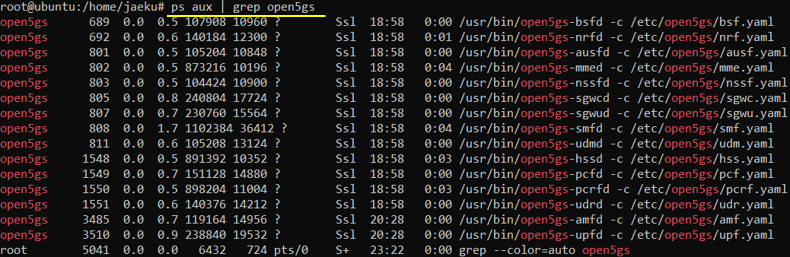
For most of open source product, I would know you should be very lucky to build and install the package at first trial. Same applied to open5GS (at least to me). The installation process went through very smoothly. Just followed the document as it says and I didn't face any problem at least for installation.
My suggestion is 'Install the mongodb first and make it sure that the mongod service is running properly' and then following through the installation process explained in this note.
- Where to get it ?
- My Test Setup
- Directory Structure
- Before you start Installation
- Installation Process
Where to get it ?
There is no specific places (like github) you should download the source code and build. I've just installed the binary version of open5GS using apt command as explained in 'Installation Process' section.
My Test Setup
I used Ubuntu Server 20.04.3 LTS which I could download from Ubuntu distribution site on Jan 29 2022. Image file name is ubuntu-20.04.3-live-server-amd64.iso.
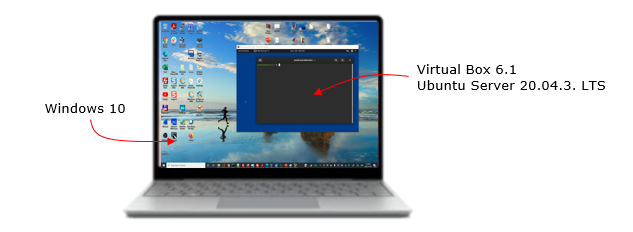
Following is the environment that I used in writing this note. If you use different Ubuntu distribution or different source code release you may get different result.




Directory Structure
The directory structure that I have after I installed all the component described in Installation process.
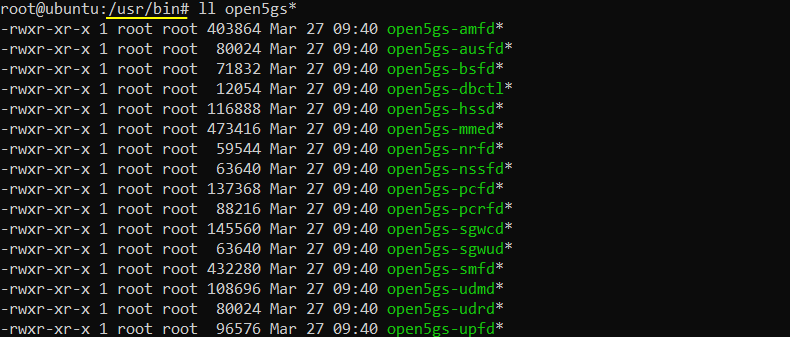
Following is the location of the binary files of each network components.
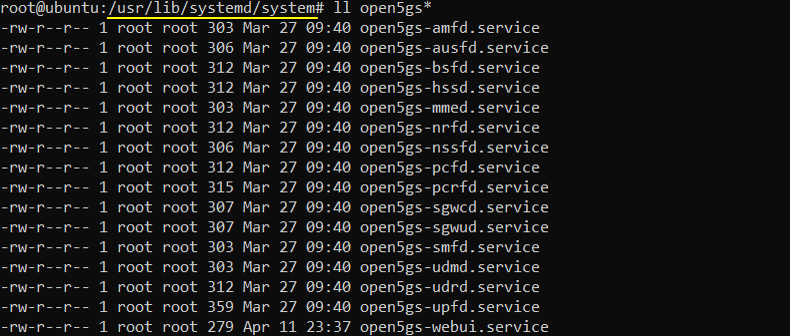
Followings are services for each of the network components
Following is the location where the configuration file for each network components are located.
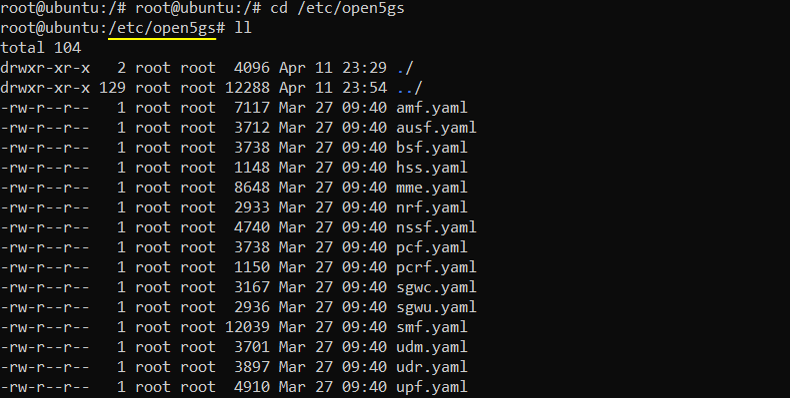
Before you start Installation
One thing I would like you to notice is that there is a certain precondition which is not explicitely documented. One of those precondition that I have noticed is about Mongo DB. You need to have Mongo DB installed on the PC before you install open5gs. If you don't get the mongo DB installed, you would get have an error at some point of the installation process.
I didn't notice this when I was installing open5gs on the virtual machine on my PC since mongo DB was installed before when I was installing free5gc. But when I was installing open5gs on the virtual machine on Google cloud where mongo DB were not installed beforehand. With the mongo DB installed, the open5gs installation went through properly.
Installation Process
I followed the procedure described in the QuickStart document available on Apr 12 2022. Since the document may get updated and you may see the different description at the time of your installation, I want to write down the procedure that I followed. This is only for installation procedure that I did on my Ubuntu. If you are using different OS, refer to the original document for the installation.
Installation of open5GS
|
$ sudo apt update $ sudo apt install software-properties-common $ sudo add-apt-repository ppa:open5gs/latest $ sudo apt update $ sudo apt install open5gs |
Installation of WebUI
< Installation of Node.js >
|
$ sudo apt update $ sudo apt install curl $ curl -fsSL https://deb.nodesource.com/setup_14.x | sudo -E bash - $ sudo apt install nodejs |
< Installation of WebUI >
|
$ curl -fsSL https://open5gs.org/open5gs/assets/webui/install | sudo -E bash - |
NOTE : In order for this comment complete successfully, make it sure that mongodb is properly installed and the mongod service is running before you start this installation. If you have trouble with mongodb installation, refer to the note about mongodb troubleshooting
Confirm that every component is running
If everything went well, you would see following components are running.